
Documentation
> Installation
Last updated: Jan 2026
Welcome to the Arbigab documentation. Follow this guide to purchase, download, and set up the bot.
▶Setup Walkthrough
Watch the full setup walkthrough before getting started:
⚠️ Note: Storefront has moved
The video still shows the old sell.app checkout. We've since migrated to Antistock (with Forebit for crypto payments) and added a dedicated Customer Portal for downloads. Follow the step-by-step instructions below to purchase and download Arbigab — the video is still accurate for everything after installation.
01.Purchase the Bot Package
Open the Arbigab store on Antistock and locate the product card:
→ Open the Arbigab store on Antistock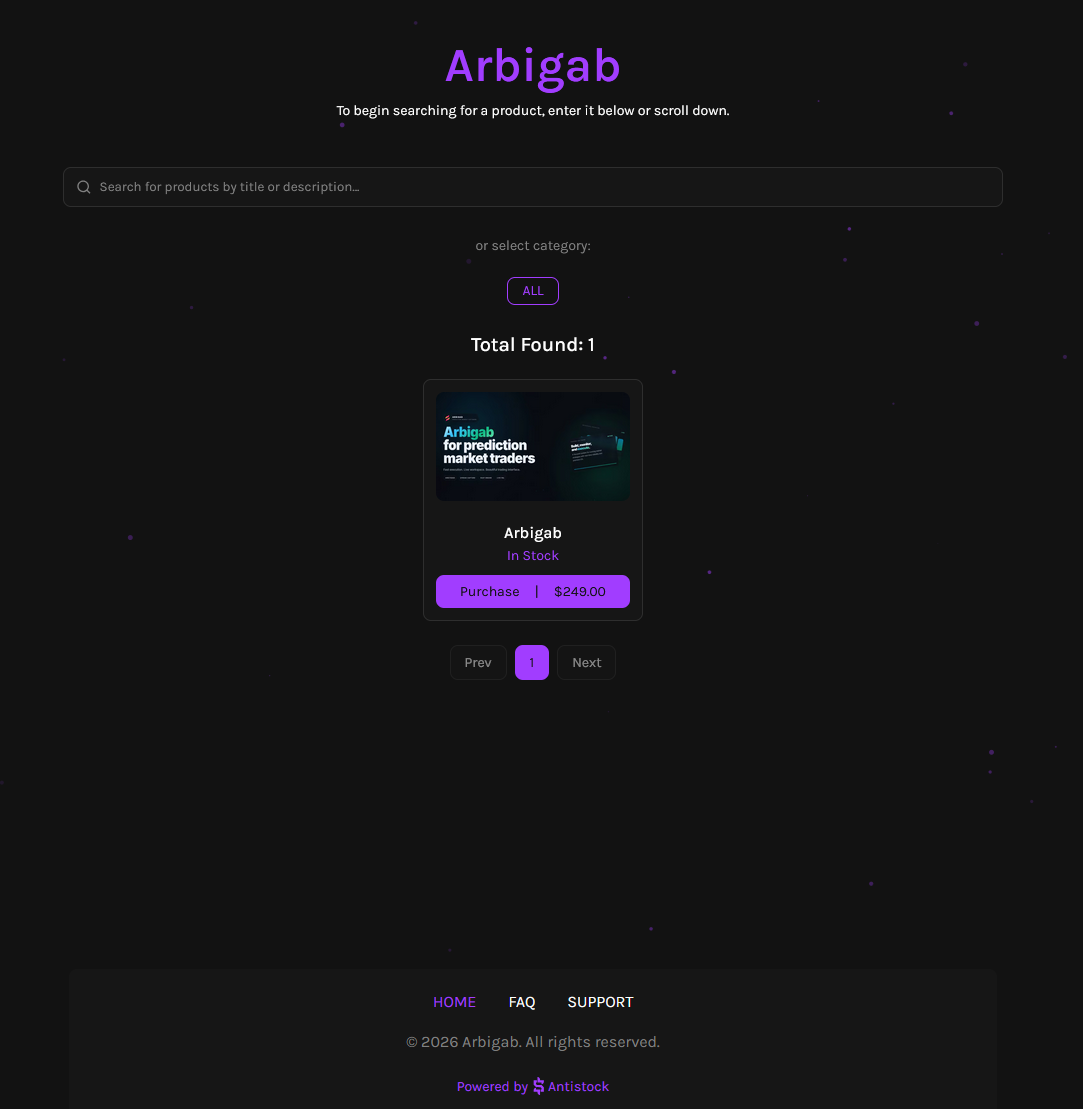
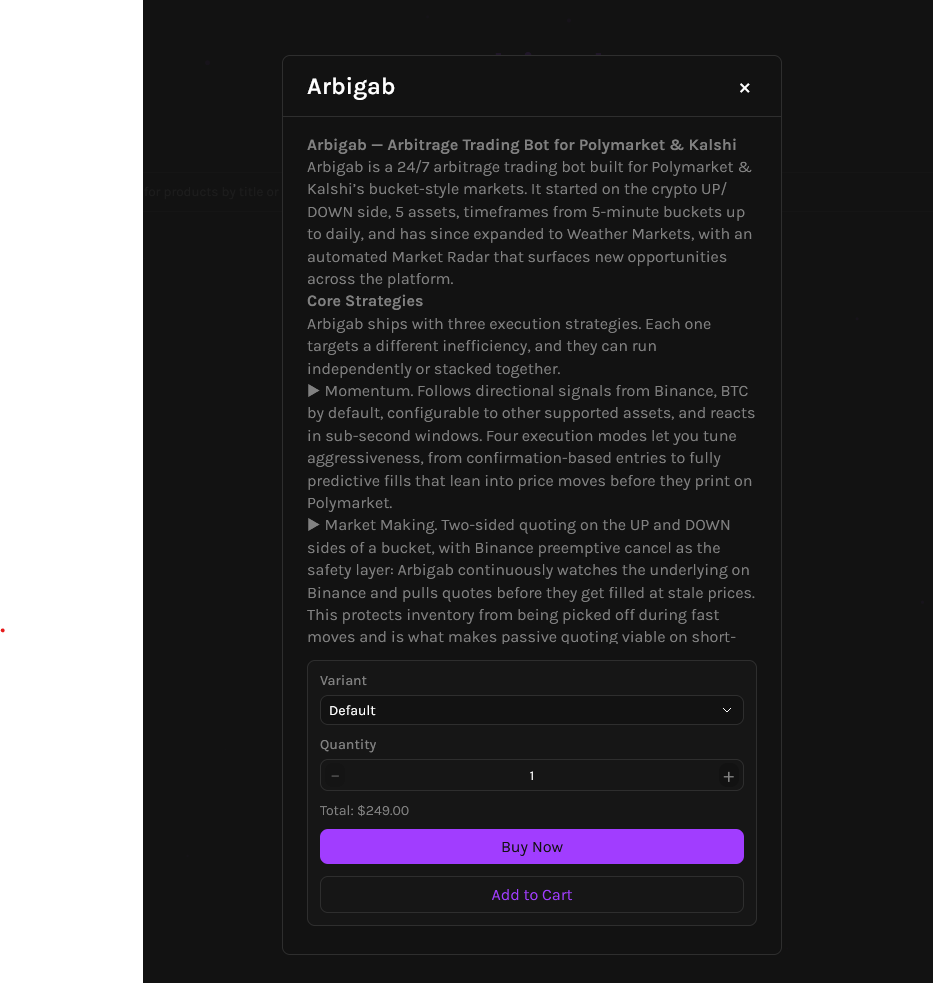
Click the product card to open the details, review the strategy summary, then click Buy Now (or Add to Cart):
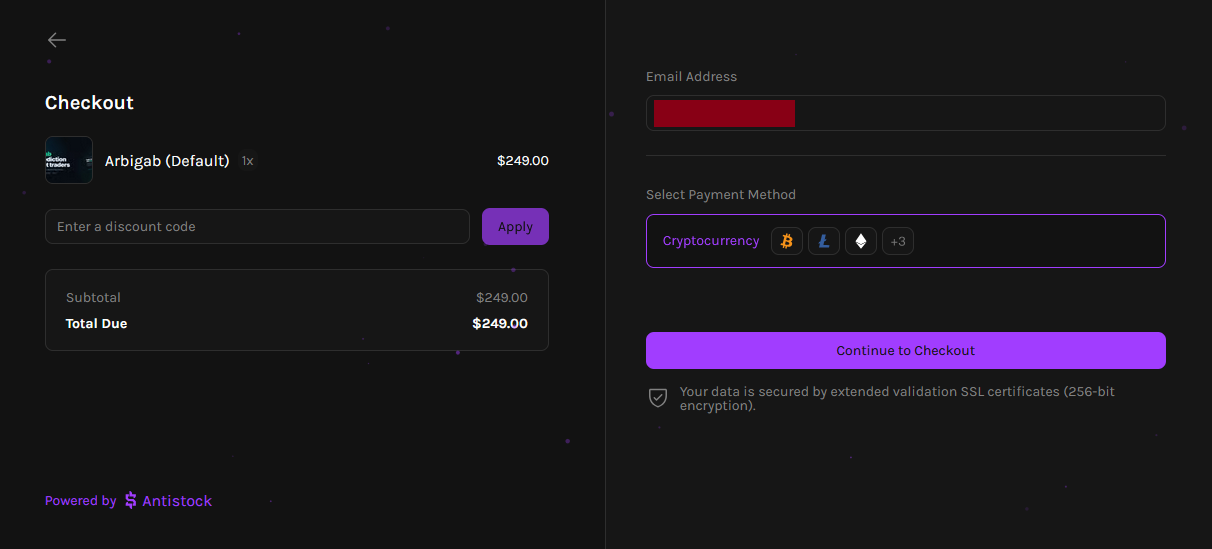
On the checkout page, enter your email address (your license key and order receipt are sent there), confirm Cryptocurrency as the payment method, and click Continue to Checkout:
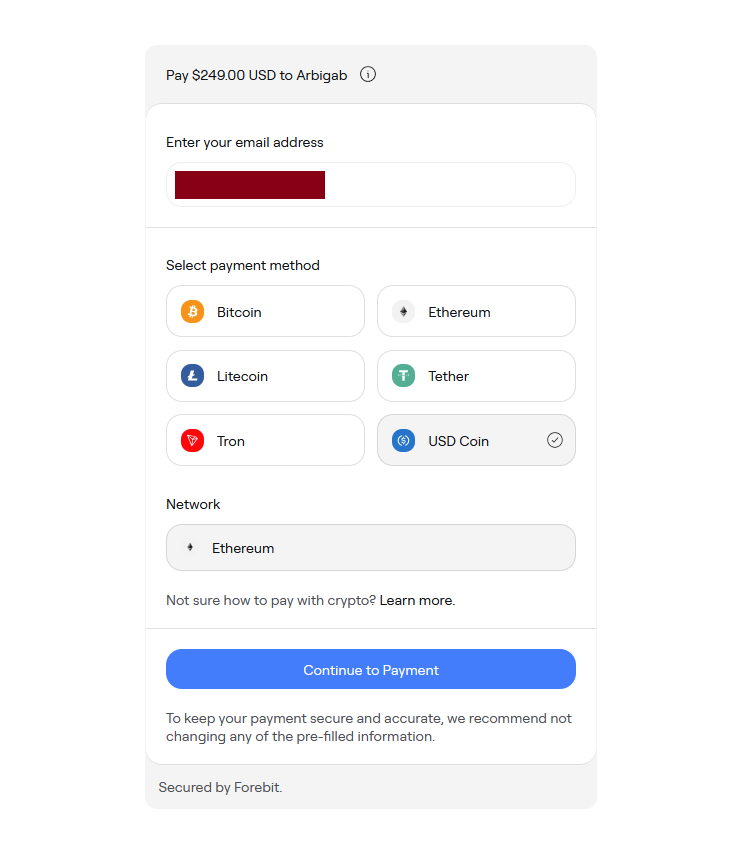
You'll be redirected to the Forebit payment widget. Pick a coin (BTC, ETH, LTC, USDT, TRX, or USDC) and the matching network, then click Continue to Payment. We recommend USDC on Ethereum for the most predictable settlement:
⏱️ Payment Processing Time
You have a 30-minute window (countdown shown top-right) to send the payment. Confirmation time depends on the network: USDC/USDT on Ethereum confirms in a few minutes, Bitcoin can take up to 20 minutes.
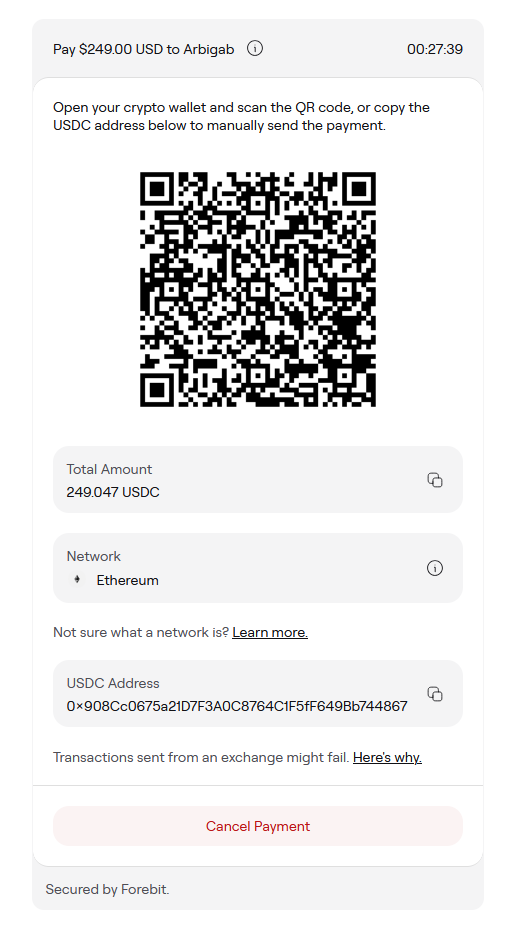
Scan the QR code with your wallet app, or copy the address and amount manually. The exact amount and network are pre-filled — make sure both match before sending:
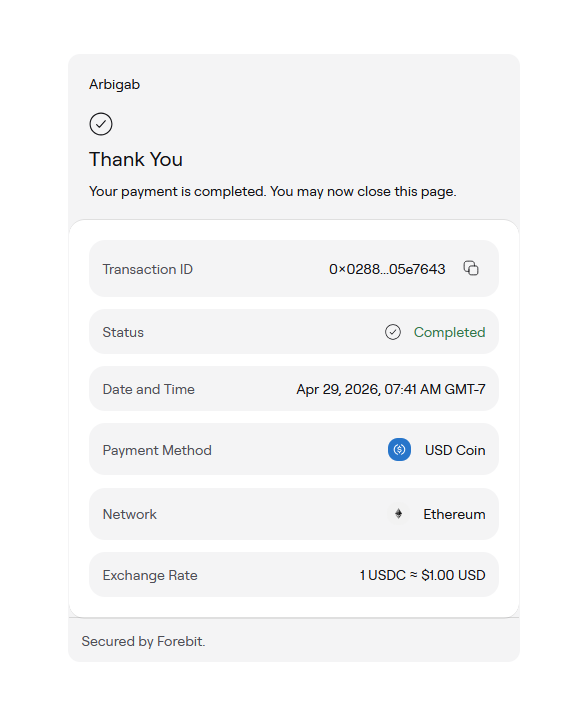
Once the transaction is confirmed on-chain, Forebit will show a Thank You screen with the transaction details. You can safely close the tab at this point:
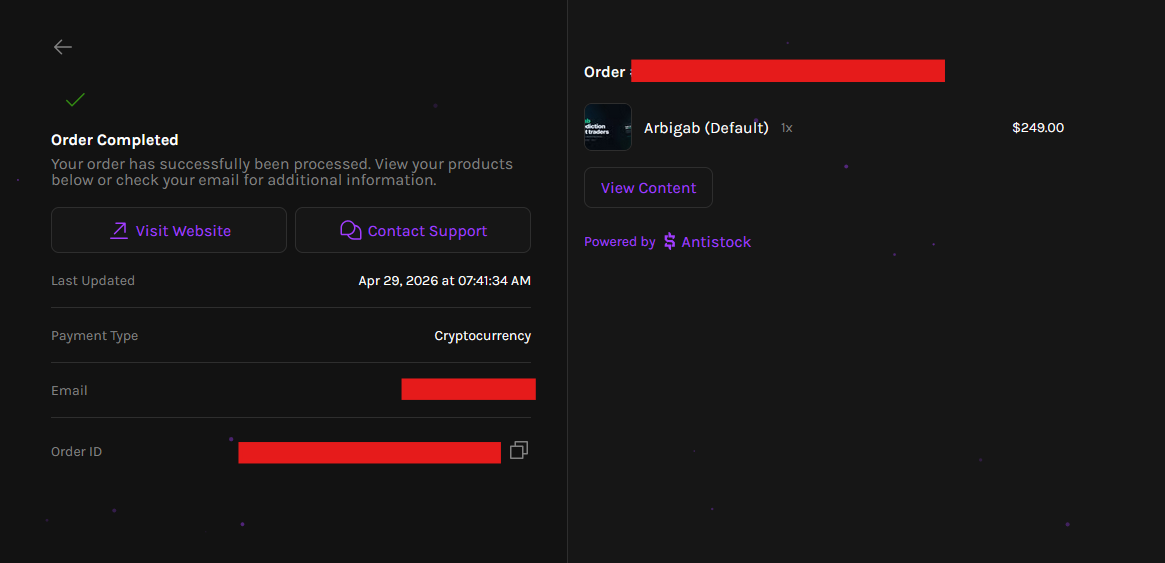
Antistock then takes you to the Order Completed page. Click View Content to reveal your license key:
02.Retrieve Your License Key
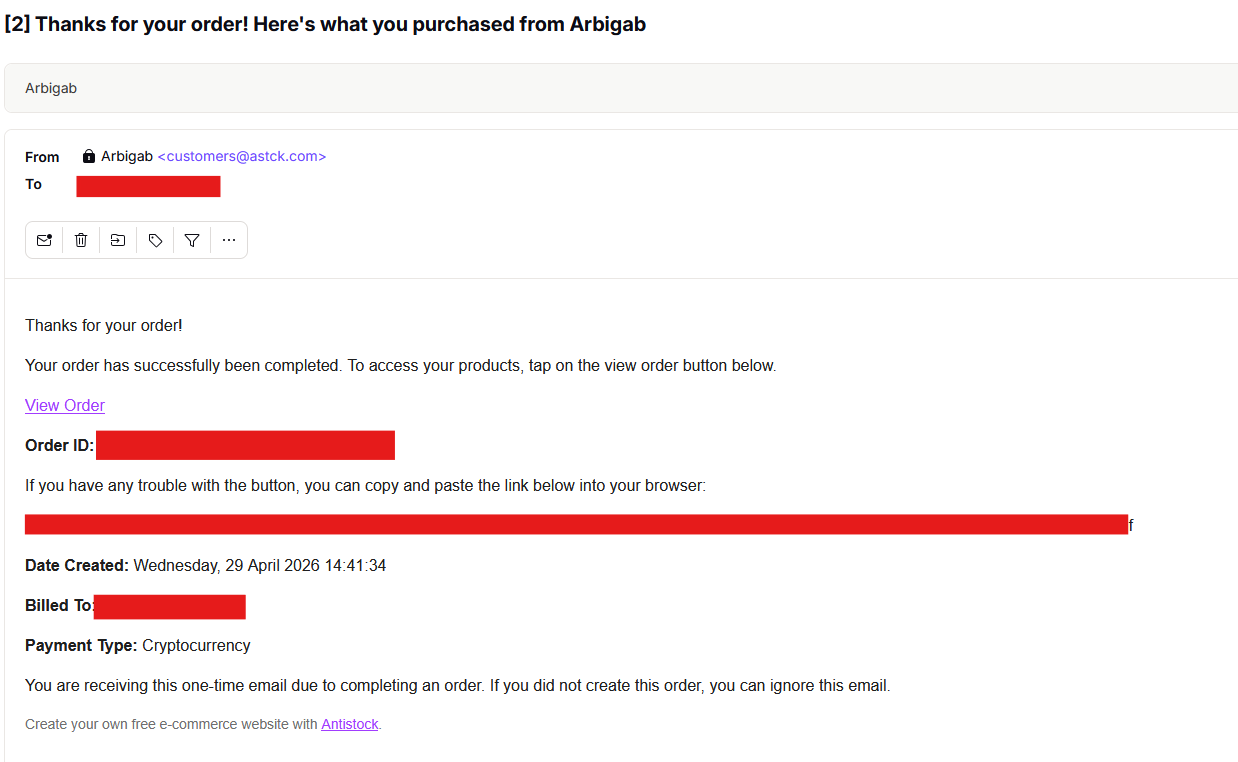
Within a minute or two, you'll also receive a confirmation email from customers@astck.com containing your Order ID and a View Order link — keep this email; it's your permanent receipt:
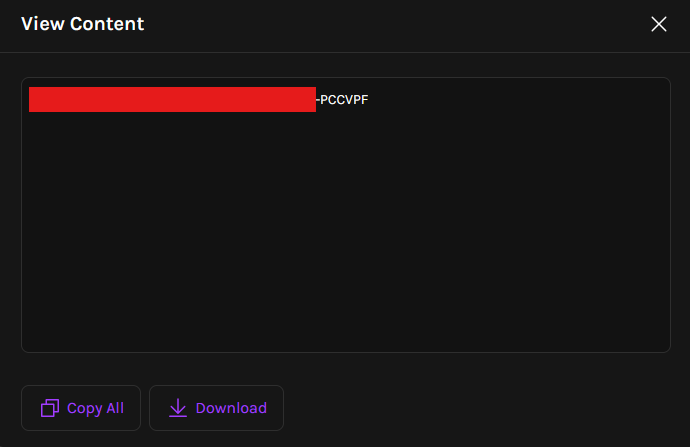
Whether you click View Content on the order page or open the order from the email, you'll see your license key. Use Copy All (or Download) and store it somewhere safe — it's the only credential needed to access the bot downloads:
🔑 Keep Your License Key Private
Treat the license key like a password. It grants access to every Arbigab release — current and future. Do not share it publicly or post it in support channels.
03.Download Bot Releases
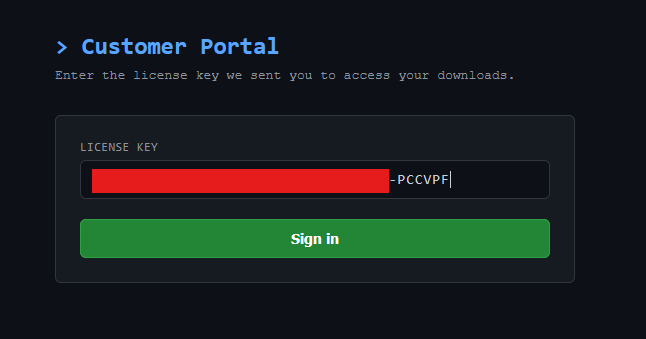
Head to the Customer Portal, paste your license key into the LICENSE KEY field, and click Sign in:
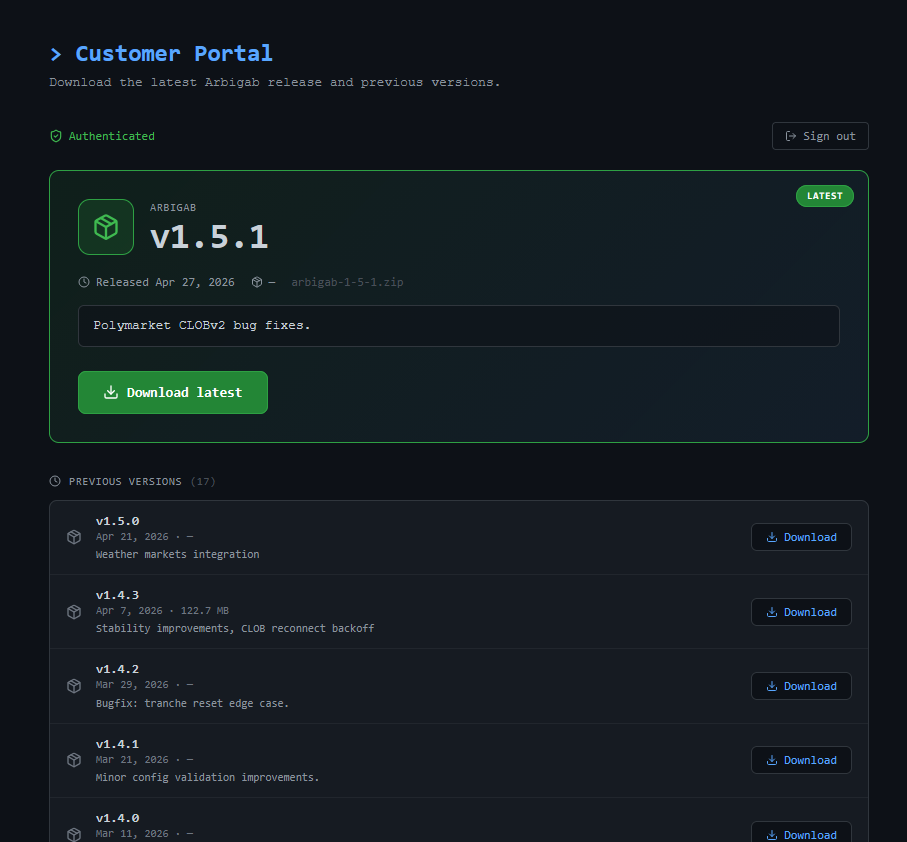
Once authenticated you'll see the latest Arbigab release at the top, plus every previous version with release notes and one-click downloads. New releases appear here automatically — no extra purchase, no email back-and-forth:
📦 Package Contents
• Docker image
• Configuration files with algorithm profiles
• Backtesting scripts and analysis tools
• 50GB+ scraped market data
• Ongoing updates via the Customer Portal
• Configuration files with algorithm profiles
• Backtesting scripts and analysis tools
• 50GB+ scraped market data
• Ongoing updates via the Customer Portal
→ Next Steps
1. Read the Installation guide for detailed setup instructions
2. Configure your bot in the Configuration section
3. Learn how to monitor your bot in Monitoring & Logs
2. Configure your bot in the Configuration section
3. Learn how to monitor your bot in Monitoring & Logs